

Advanced PDF Tools
Read, sign, merge, compress and scan PDFs, all on your phone.
- Google Playfor Android
What Advanced PDF Tools does
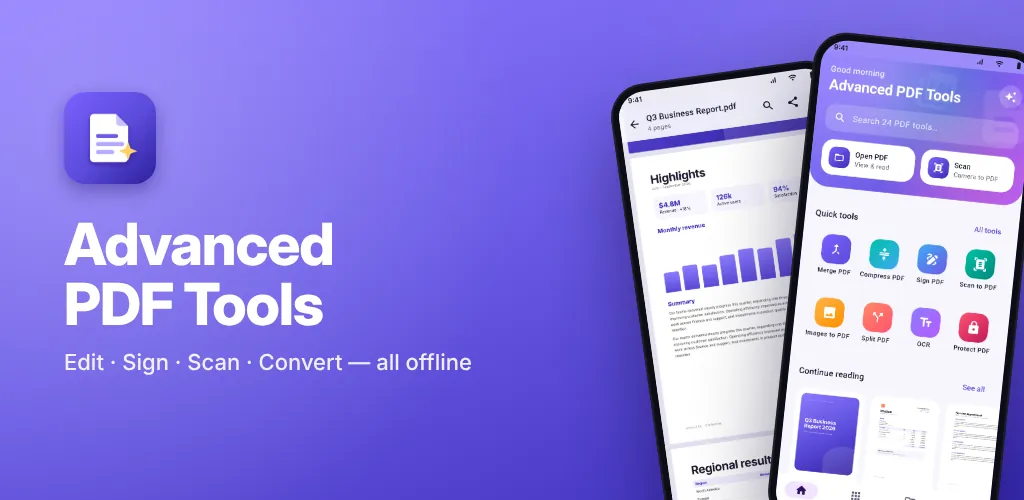
Advanced PDF Tools puts a PDF reader and 24 PDF tools in one app. Sign a contract, merge reports, shrink a file for email, scan a paper page or lock a PDF with a password.
Every tool runs on your phone, tablet or Chromebook, and it works offline. Your files are never uploaded. There is no account, no watermark on your files and no ads. The app opens only the files you pick, and it saves only when you tap Save.
What you get
PDF reader
Smooth scrolling and zoom, night reading, page thumbnails, go to page and text search. It opens password-protected PDFs and picks up where you left off.
Sign and fill in
Draw your signature once and save it. Then drag it into place, and add text, dates, images and stamps such as Approved or Paid.
Organize pages
Merge, split, reorder, rotate, copy and delete pages, add blank pages, or pull out the pages you want as a new PDF.
Scan and read text
Google's scanner finds the page edges and cleans up shadows. Text reading (OCR) makes a scan searchable so you can copy from it.
Convert
Turn photos or text into a PDF, save pages as JPG or PNG up to 300 DPI, and copy the text or images out of a PDF.
Compress and protect
Shrink a PDF at four levels, and it never comes out larger than before. Lock a PDF with AES-256 encryption, remove a password you know, or flatten forms and signatures.
Screenshots
On tablets
Privacy in short
- Asks for no phone permissions beyond internet access.
- No sign-up, no account, and no servers of our own collecting your data.
- Outside services: Google ML Kit.
Questions or a bug?
Email us and a person on our team will reply within 7 working days. Tell us your phone model and what happened.
Get help with Advanced PDF ToolsMore from Cybs Innovations
All our apps DarkFlow BrowserAndroid app · Tools
A light mobile browser that blocks ads and trackers, darkens any website, keeps incognito tabs private and manages your downloads.
See the app RemovoAndroid app · Photography
An AI background remover that cuts out people, pets and products on your phone, then puts them on a color, a gradient, a blur or any photo you pick.
See the app Smart SMSAndroid app · Communication
A text messaging app with scheduled messages, number blocking, dual SIM support and backups that you keep on your own phone.
See the app