

Inditalk
Chat, share and call over Wi-Fi, LAN or a hotspot, with no internet.
- Google Playfor Android
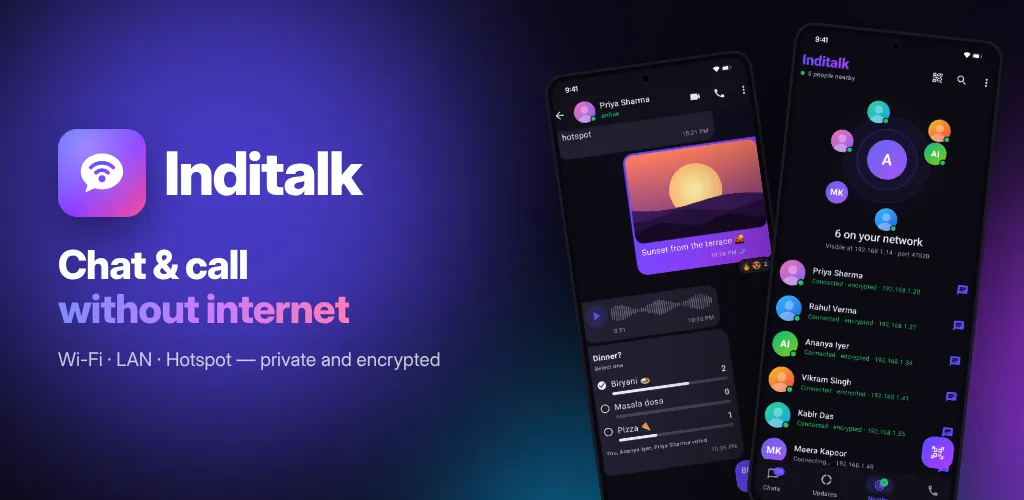
What Inditalk does
Inditalk lets phones on the same Wi-Fi router, wired LAN or phone hotspot talk to each other directly. The router does not need an internet connection, and you need no SIM, phone number or data plan.
It works in hostels, campuses, offices, factories, trips and events, and during network outages. Messages and calls are end-to-end encrypted, there are no servers, and your chats stay on the phones in the chat.
What you get
Chats and groups
One-to-one and group chats with read ticks, typing, replies, reactions, polls, edit, forward and delete for everyone.
Photos, files and voice
Send photos, videos, documents and audio files of any size, and voice messages with 1x, 1.5x and 2x playback.
Voice and video calls
Make voice and HD video calls directly between phones on your network, with a call history.
Finds people nearby
People on your network show up in Nearby. Add someone by QR code or IP address. Messages to someone who is away are sent when they come back.
Private by design
Every message and call is end-to-end encrypted. Verify a contact's security code, lock the app, and block screenshots.
Status and backup
Share text and photo updates that vanish after 24 hours. Back up your chats to a file locked with your password.
Screenshots
On tablets
Privacy in short
- Asks for: network and wi-fi, camera, microphone, notifications, running in the background, fingerprint or face.
- No sign-up, no account, and no servers of our own collecting your data.
- No outside services receive data from the app.
Questions or a bug?
Email us and a person on our team will reply within 7 working days. Tell us your phone model and what happened.
Get help with InditalkMore from Cybs Innovations
All our apps DarkFlow BrowserAndroid app · Tools
A light mobile browser that blocks ads and trackers, darkens any website, keeps incognito tabs private and manages your downloads.
See the app RemovoAndroid app · Photography
An AI background remover that cuts out people, pets and products on your phone, then puts them on a color, a gradient, a blur or any photo you pick.
See the app Smart SMSAndroid app · Communication
A text messaging app with scheduled messages, number blocking, dual SIM support and backups that you keep on your own phone.
See the app