

ScanEasy PDF
Scan, compress, merge and split PDFs on your phone, even offline.
- Google Playfor Android
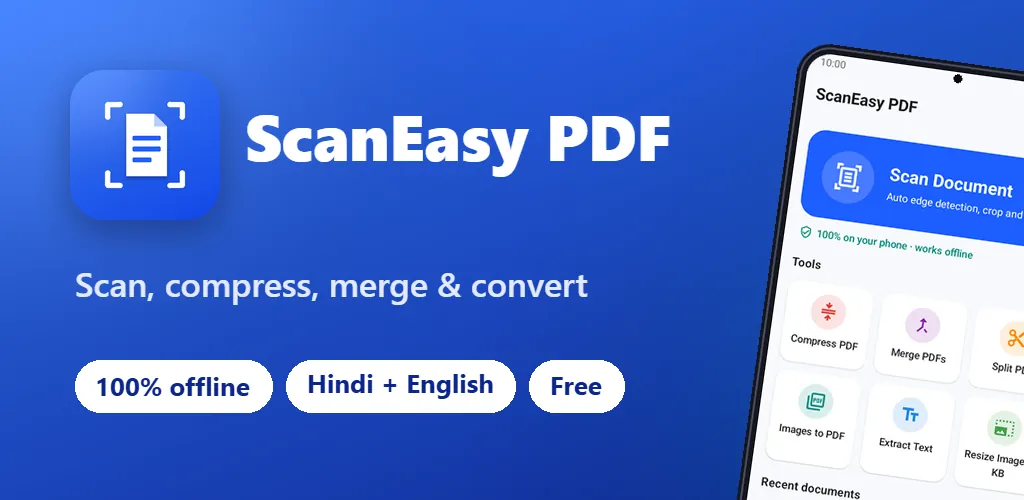
What ScanEasy PDF does
ScanEasy PDF puts the PDF jobs of everyday paperwork in one app. Scan a document, shrink a PDF to fit an upload limit, resize a photo or signature to 20 KB for an exam or job form, or copy the text out of a printed notice.
Every tool runs on your phone. Your documents and photos are never uploaded, there is no account, and the app needs no camera or storage permission. It is free with ads, in English and Hindi.
What you get
Scan documents
Google's scanner finds the page edges, then crops and cleans the page. Reorder, add or delete pages, and save as PDF or JPG.
Compress PDF
Pick 100 KB, 200 KB, 500 KB, 1 MB or your own size, and the app finds the best quality under it. A 10.6 MB report can come down to 1 MB.
Resize image to KB
Make a photo or signature 20 KB, 50 KB or any size, with an exact pixel size if a form asks for one.
Copy text from photos
Read the text in a scan, a photo or a scanned PDF in English or Hindi, then copy or share it. It works offline.
Merge and split
Join PDFs in the order you want. Split a PDF by tapping pages or typing ranges like 1-3, 5.
Images to PDF
Turn receipts, notes and ID cards into one PDF, with A4 pages or pages the size of each photo.
Screenshots
On tablets
Privacy in short
- Asks for: advertising id.
- No sign-up, no account, and no servers of our own collecting your data.
- Outside services: Google ML Kit, Google AdMob, Meta Audience Network, Google Analytics for Firebase.
Questions or a bug?
Email us and a person on our team will reply within 7 working days. Tell us your phone model and what happened.
Get help with ScanEasy PDFMore from Cybs Innovations
All our apps DarkFlow BrowserAndroid app · Tools
A light mobile browser that blocks ads and trackers, darkens any website, keeps incognito tabs private and manages your downloads.
See the app RemovoAndroid app · Photography
An AI background remover that cuts out people, pets and products on your phone, then puts them on a color, a gradient, a blur or any photo you pick.
See the app Smart SMSAndroid app · Communication
A text messaging app with scheduled messages, number blocking, dual SIM support and backups that you keep on your own phone.
See the app