

Shift Scan
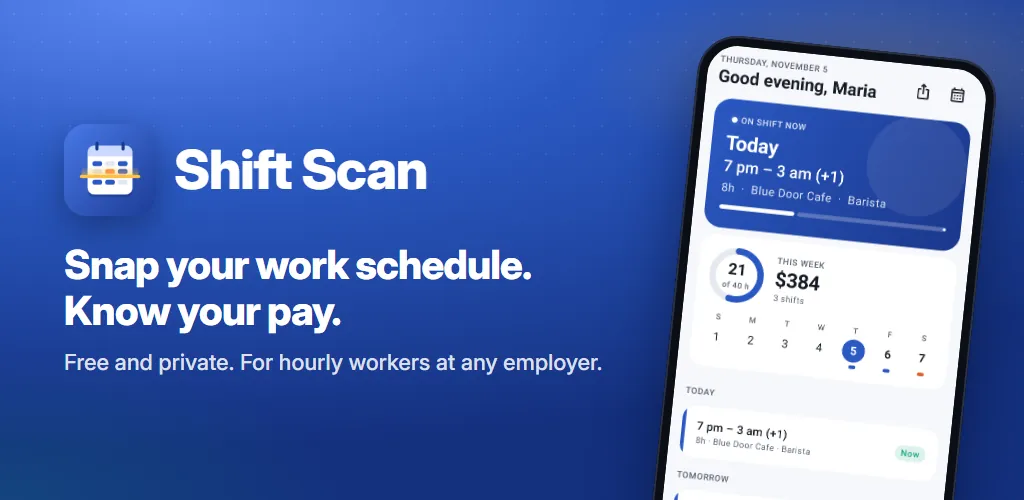
Snap your work schedule into your calendar and see your paycheck.
- Google Playfor Android
What Shift Scan does
Shift Scan is for people who work shifts. Take a photo of the posted schedule, or open a screenshot or PDF, and the app finds your row and reads your shifts. Check anything it flags, then save them to the app and your calendar.
It also estimates each paycheck with overtime and tips. Schedules are read on your phone by default. There is no account, and your shifts and pay stay on your phone. Every feature is free, and the app is supported by ads.
What you get
Scan a schedule
Use the camera, a photo, a screenshot or a PDF, or share it to Shift Scan. Shifts it is unsure of are flagged with the text it read.
Read on your phone
Schedules are read on your phone with Google's text recognition or Gemini Nano. You can add your own Gemini, Claude or OpenAI key for messy photos.
Schedule changes
Scan a new schedule to see new, changed and cut shifts.
Rotations
Fill months at a time with a pattern such as 4 on 4 off, Panama, DuPont or your own.
Calendar and widget
Sync shifts to a calendar you choose, with reminders. A widget shows your next shift and this week's hours.
Know your pay
Estimate each pay period with overtime, double time, tips and withholding, and check it against your pay stub.
Screenshots
On tablets
Privacy in short
- Asks for: calendar, notifications, advertising id.
- No sign-up, no account, and no servers of our own collecting your data.
- Outside services: Cloud reader you choose (optional), Google AdMob, Meta Audience Network, Google Firebase Analytics and Crashlytics.
Questions or a bug?
Email us and a person on our team will reply within 7 working days. Tell us your phone model and what happened.
Get help with Shift ScanMore from Cybs Innovations
All our apps DarkFlow BrowserAndroid app · Tools
A light mobile browser that blocks ads and trackers, darkens any website, keeps incognito tabs private and manages your downloads.
See the app RemovoAndroid app · Photography
An AI background remover that cuts out people, pets and products on your phone, then puts them on a color, a gradient, a blur or any photo you pick.
See the app Smart SMSAndroid app · Communication
A text messaging app with scheduled messages, number blocking, dual SIM support and backups that you keep on your own phone.
See the app