


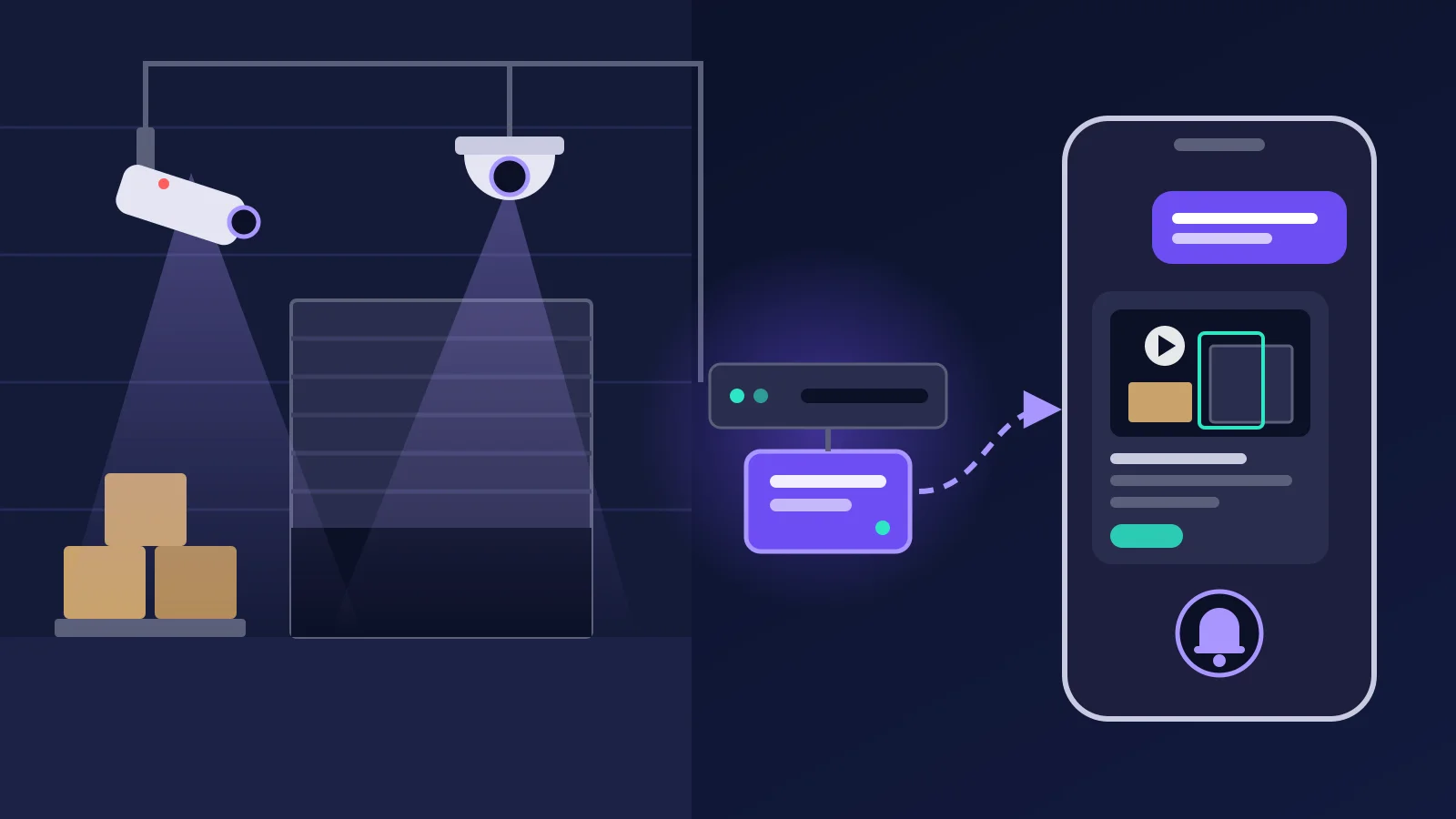
You can add AI to existing CCTV cameras without replacing them if each camera gives a network stream (RTSP or ONVIF) and puts enough pixels on what you need to see. IEC 62676-4 sets 25 pixels per metre to detect a person and 250 to identify one. A small PC on site reads the streams, so recording stays as it is.
Most factories, warehouses and shops already have cameras and a DVR or NVR. Someone usually looks at them only after something has gone wrong, and then scrolls through hours of playback. AI changes that: it watches for the events you care about and sends a short clip. This post is a readiness check. It covers which cameras work, how many pixels each job needs, where the AI should run, how to keep false alarms down, and what India's data protection law asks of you.
Can AI work with the CCTV you already have?
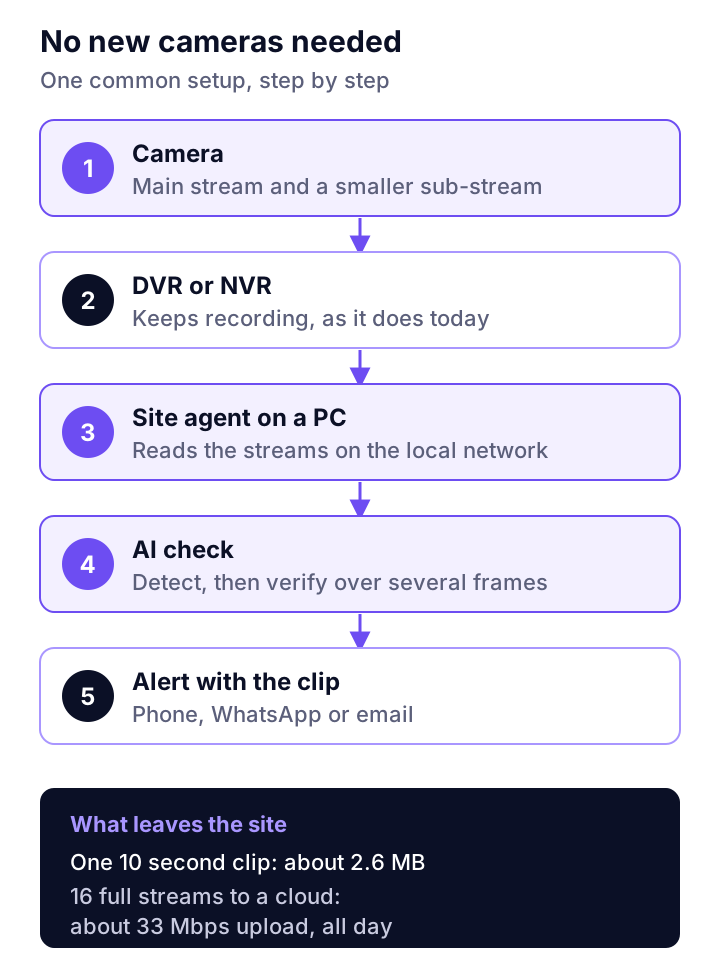
Yes, in most cases. The AI does not need new cameras. It needs a video stream it can read over the local network, and the recorder keeps recording as before.
- IP cameras and NVRs give an RTSP stream for each camera. Many also follow ONVIF. ONVIF Profile T covers H.264 and H.265 video, metadata streaming, and motion and tampering events. Check your model on the ONVIF conformant products list.
- Analog and HD-analog cameras feed a DVR. Most current DVRs also give a network stream for each channel, so the AI reads from the DVR. Check the DVR manual for its RTSP address.
- Very old DVRs with no network stream need an encoder box, or a recorder upgrade. The cameras can usually stay.
Plants that have retrofitted sensors on old machines will know the idea. Our guide to retrofitting IoT sensors on old machines makes the same case for motors and gearboxes: use what is installed, add only what is missing.
Is each camera good enough? Check pixels per metre
Resolution alone does not tell you. What matters is how many pixels fall on one metre of the scene where the event happens. IEC 62676-4 sets four levels, as summarised in Axis's white paper on the standard:
| Level | Pixels per metre | What you can tell |
|---|---|---|
| Detection | 25 | Whether a person is there |
| Observation | 63 | How many people, roughly what they do |
| Recognition | 125 | Whether it is someone you have seen before |
| Identification | 250 | Who the person is |
Here is a worked example, with our own arithmetic. A 1080p camera is 1,920 pixels wide. If it covers a 15 metre wide loading bay, that is 128 pixels per metre, which is recognition level. Point the same camera across a 30 metre yard and you get 64 pixels per metre, just enough for observation. A 4K camera on a wide yard can do worse than a 1080p camera on a doorway.
Use the level the rule needs. "Someone in the store room after 8 pm" needs detection. "No helmet in the work area" needs far more, because a helmet is much smaller than a person. Our rule of thumb is to plan PPE rules at recognition level or better, and to test them on your own footage.
The rest of the check, camera by camera
- Stream. Find the RTSP address of the sub-stream. A lower-resolution sub-stream is often enough for detection and much lighter to process.
- Codec. H.265 needs about half the bitrate of H.264 at the same resolution, by Hikvision's bitrate table.
- Night. Pull a clip from 2 am. Infrared footage is greyscale and noisy. If you cannot see the event, the AI will struggle too.
- Angle. Cameras mounted very high look down on heads. That works for counting, but badly for helmets and vests.
- Clock. Set every camera and recorder to the same network time. A clip with the wrong time is weak evidence.
- Lens. Dust, cobwebs and monsoon condensation cause more missed events than any model.
Where should the AI run: on site or in the cloud?
Read the video on site and send out only events and short clips. Streaming every camera to a cloud needs an upload link most Indian sites do not have.
The numbers make the case. By Hikvision's bitrate table, a 1080p camera at 25 frames a second needs about 2,048 Kbps on H.265. Our arithmetic from that table:
| Setup | Upload needed |
|---|---|
| 16 cameras, every stream to a cloud | About 33 Mbps, all day |
| One camera, 24 hours to a cloud | About 22 GB a day |
| One 10 second event clip | About 2.6 MB |
| Option | Good for | Watch out for |
|---|---|---|
| On site (a PC or mini PC next to the recorder) | Low upload, video stays local | The PC needs power backup and care |
| Cloud | No hardware to look after | Upload cost, privacy, outages |
| Hybrid (on-site agent, AI checks on short clips) | Most sites | Choose where frames are checked and say so in your notice |
The on-site box is the same idea as the edge gateway in our post on SCADA, PLCs and IoT gateways: do the heavy work near the source, send the result.
What can AI watch for in a factory, warehouse or shop?
Rules written in plain words, tied to a camera, an area and a time. Start with three or four that cost you money today.
| Place | Example rule |
|---|---|
| Factory | No helmet in the work area |
| Factory | Smoke or fire near the stores |
| Warehouse | Loading bay shutter open after 8 pm |
| Warehouse | Someone in the store room after hours |
| Shop or branch | Cash counter left empty during opening hours |
| Any site | Camera covered or moved |
These rules need detection or recognition level, not identification. None of them needs face recognition.
How do you keep false alarms down?
Make the AI prove an event before it tells a person. A system that cries wolf every night is soon ignored.
- Zones. Draw the area that matters. A person walking past the store room door is not a person inside it.
- Schedules. "After 8 pm" removes every normal working-hour event.
- Persistence. Require the event to hold over several frames or seconds, so a passing headlight does not count.
- A second check. Let a second, slower model look at the frames before an alert goes out.
- Feedback. Mark each alert useful or false. Tune or drop the rules that keep failing.
Where does AI on CCTV go wrong?
On the camera side more than the model side. We found no independent accuracy figures for PPE detection in real Indian plants, so test on your own footage before you trust any number.
- Backlight and glare. A camera facing an open shutter at noon sees silhouettes.
- People behind people. In a crowded aisle, one worker hides another.
- Small items far away. Gloves and goggles at 20 metres are a few pixels.
- Moved cameras. A bumped camera points at the wall, and its rules quietly stop working.
- The site PC. If it has no UPS and reboots in a power cut, nothing is watched until someone notices.
What does India's DPDP law mean for AI on CCTV?
Footage of people who can be identified is personal data in digital form. In our reading, that brings AI on CCTV under the Digital Personal Data Protection Act, 2023, which received assent on 11 August 2023. This is a summary, not legal advice.
- Staff and visitors are different. Section 7 lets an employer process data for employment purposes, including protecting itself from loss. Customers in a shop are not covered by that clause, so a clear notice matters more.
- The Rules set the timetable. The DPDP Rules, 2025 were notified as G.S.R. 846(E) in November 2025. Most duties, including security safeguards and breach reporting, apply 18 months after publication, which is mid-May 2027.
- Breaches have a clock. The Rules ask for a detailed report to the Data Protection Board within 72 hours of becoming aware of a breach, and access logs kept for one year.
- Penalties are large. The government's backgrounder on the Rules lists penalties of up to ₹250 crore for failing to protect data.
In practice: put up notice boards, write down why each camera exists, keep clips only as long as you need them, limit who can view them, and leave face recognition off unless you have a clear reason.
Where Camryx fits
Camryx is our AI for the CCTV you already have, now in early access. A small site agent runs on a PC or mini PC at the site, finds the cameras and connects out over HTTPS, so there is no port forwarding. You ask in plain words, in English, Hindi or Hinglish, and get the answer with the clip, time and camera. Alert rules are written in your own words, and each alert is checked by vision AI before it reaches your phone, WhatsApp or Telegram. Full recordings stay on your recorder, camera passwords are encrypted, and there is no face recognition. The desktop edition, Camryx Local, has a private mode that runs the AI on your own PC. See Camryx for how it works.
Frequently asked questions
Can AI work with old analog CCTV cameras?
Often, yes, through the recorder. Analog and HD-analog cameras feed a DVR, and most current DVRs give a network stream for each channel. The AI reads that stream, not the camera. Picture quality is the limit: an old low-resolution camera may still detect a person in a small area, but it will not show whether that person wears a helmet. Run the pixel density check first.
How do I know if my cameras support ONVIF or RTSP?
Check the model number on the camera or recorder against the ONVIF conformant products list on onvif.org, and look in the manual for an RTSP address. Many IP cameras and NVRs support both. If the recorder's web page lets you set a sub-stream, that is a good sign the AI can use it.
Will AI on CCTV slow down our network?
Not if the heavy video stays on site. A 1080p camera at 25 frames a second uses about 2 Mbps on H.265, by Hikvision's own bitrate table. Sixteen of them streamed to a cloud need about 33 Mbps of upload all day. Reading streams on the local network and sending only short clips out keeps the internet link almost idle.
Do I need face recognition to use AI on CCTV?
No. Most useful rules need to know that a person, vehicle or object is present, where and when: someone in the store room after 8 pm, a loading bay left open, no helmet in a work area. None of that needs to know who the person is. Leaving face recognition out also means less sensitive personal data to protect under the DPDP Act.
Ask your cameras instead of watching them
Camryx works with the CCTV, DVR or NVR you already have. Ask what happened in plain words and get the clip as proof. Now in early access.