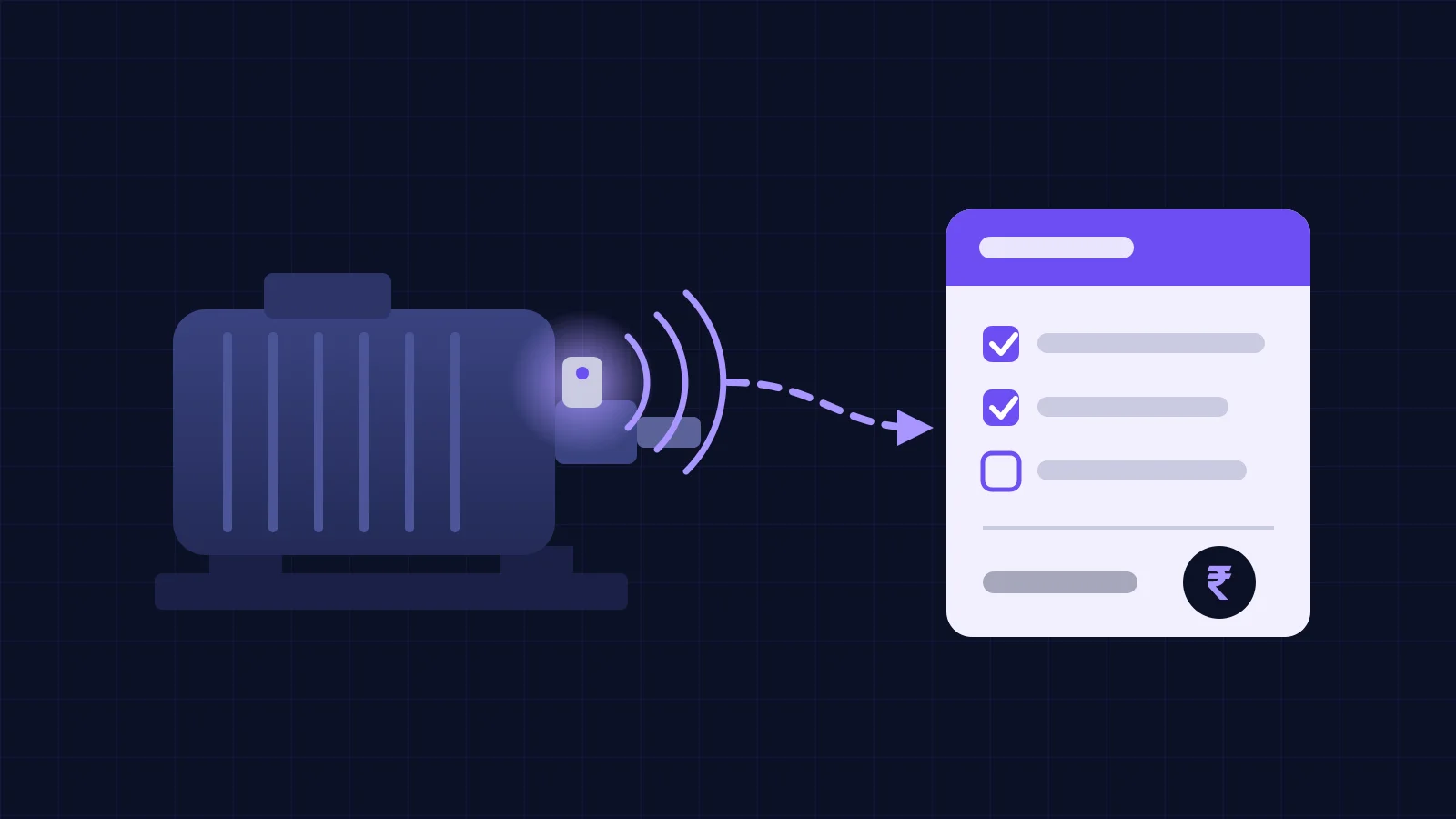


Machine downtime tracking software records every stop from a machine signal (a PLC run bit, motor current or part count) and asks the operator for one reason code. It replaces the downtime column in the shift register. In the illustrative ₹ example below, ten machines lose 458 more hours a month than the register shows.
That gap is the real reason to buy. A shift register catches the long breakdowns, the ones someone remembers at handover. It misses the 4-minute jams, the 20 minutes waiting for a forklift and the changeover that ran 40 minutes over. This guide covers how the software catches stops, which reason codes work, what to check before you sign, and what it costs. If you only need the rupee value of a stop, our worked downtime cost calculation covers that.
What does downtime tracking software do that a shift register cannot?
It records the start and end of every stop without anyone writing it down. A register depends on memory. Most operators fill it at the end of the shift, round stops to the nearest 15 or 30 minutes, and leave out anything short.
Here is what each method usually captures.
| Stop type | Shift register | Downtime tracking software |
|---|---|---|
| Breakdown over 30 minutes | Usually, with rounded times | Yes, to the second |
| Stops of 2 to 10 minutes | Rarely | Yes, every one |
| Waiting for material or crane | Often written as "breakdown" or left out | Yes, if the operator picks the reason |
| Changeover overrun | Rarely; logged as planned | Yes, actual minutes against the plan |
| Machine running slow | No | Only with a part count or speed signal |
| Night shift stops | Least reliable | Same as day shift |
The software does not know why a machine stopped. It knows that it stopped. The reason still comes from a person, so the design of the reason list matters as much as the sensor.
How does the software detect a stop on each type of machine?
It watches one signal that changes when the machine stops. Which signal depends on what the machine already has.
| Machine | Signal, and how it is read | Watch out for |
|---|---|---|
| CNC with a modern controller | Controller state (running, feed hold, alarm) and part count, over MTConnect or OPC UA | Older controllers may need a paid option to open the port |
| Line run by a PLC | Run bit, fault bit and part counter, over Modbus TCP or OPC UA | Ask the OEM before adding tags to their program |
| Old machine with no PLC | Motor current, from a clamp-on current transformer on the motor cable | Set the idle threshold per machine; a machine can draw current while idling |
| Press or packing machine | Stroke or cycle count, from a proximity sensor on a moving part | Counts cycles, not good parts |
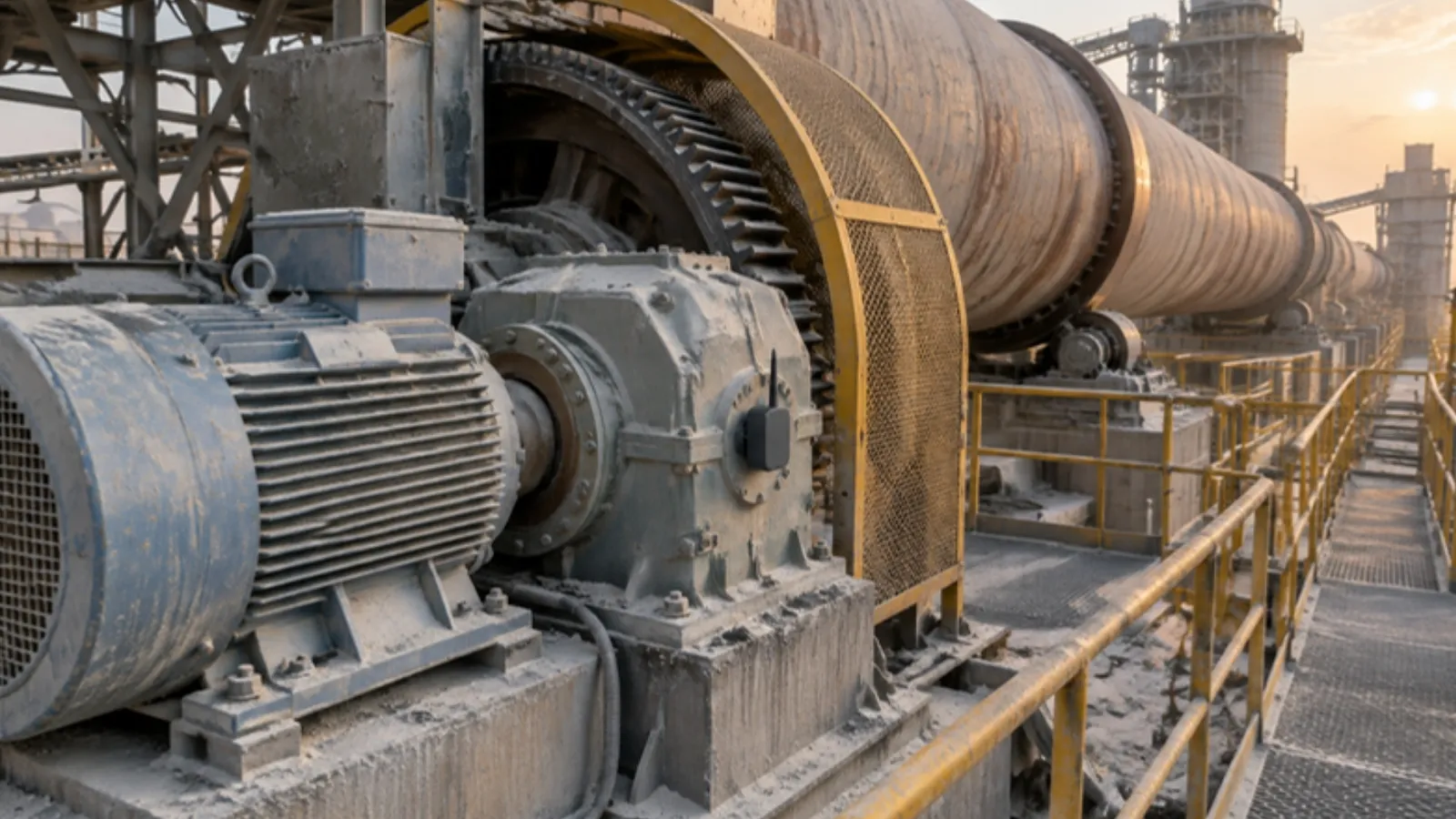
| Kiln, mill or other continuous process | Main drive running plus feed rate (TPH), from PLC or DCS tags | Slow running matters more than full stops |
Our guide to SCADA vs PLC vs IoT gateway explains where each signal lives. For machines from the 1990s and older, see retrofitting IoT sensors on old machines. It covers clamp-on sensors and where to mount them.
Two settings decide how clean your data is:
- Minimum stop length. Pick a value such as 2 minutes. Shorter stops count as speed loss, not downtime.
- Merge gap. If a machine restarts for 30 seconds and stops again, treat it as one stop. Otherwise one jam shows up as five.
Which machine downtime reason codes actually work?
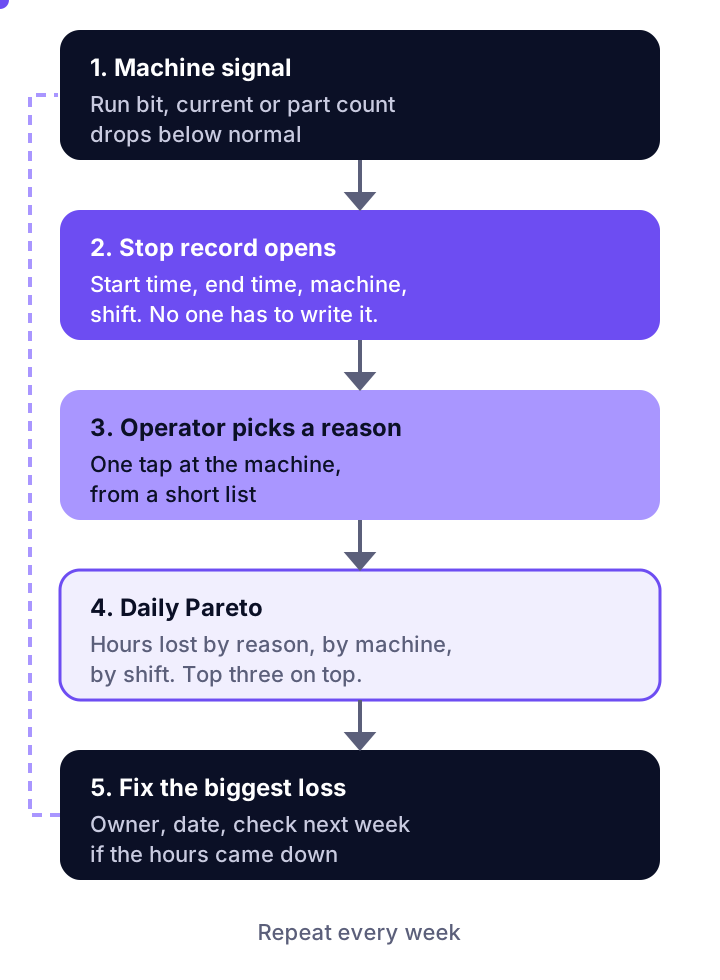
A short list of six to eight top-level codes works. Operators pick from it in one tap at the machine, while they still remember. Long lists fail. People pick the first option, or "others", and the Pareto chart becomes useless.
This list fits most Indian discrete and process plants:
| Code | Covers | Second level (only where needed) |
|---|---|---|
| Breakdown, mechanical | Bearing, gearbox, hydraulics, pneumatics, tooling | Yes: the failed component |
| Breakdown, electrical | Motor, drive, sensor, panel, PLC fault | Yes: the failed component |
| Changeover and setup | Die, mould or product change, first-piece approval | No |
| Waiting for material | No raw material, no crane, no forklift, upstream starved | No |
| Waiting for people | No operator, shift handover, waiting for maintenance | No |
| Quality hold | Stopped for rejection, inspection or rework | No |
| Planned maintenance | PM slot, lubrication, cleaning | No |
| External | Power cut, grid trip, DG changeover, water or air supply | No |
The last code matters in India. Where the grid is weak, power cuts and DG changeovers add up over a month. If you leave them out, they get booked as electrical breakdowns. Then maintenance gets blamed for a loss it cannot fix.
Three habits keep the codes honest:
- Print them in the local language next to the buttons. Contract operators change often; a picture and a Hindi or Marathi word works better than English.
- Close every stop before the shift ends. Unassigned stops go to the supervisor, not to "others".
- Review the list once a quarter. Merge codes nobody uses. Split the one that holds a third of all hours.
What should you check before you buy machine downtime tracking software?
Check that it works on your oldest machine, keeps data through network drops, and lets you export your own data. Most vendor guides list features. These ten questions matter more on an Indian plant floor:
- Will it read our controllers and PLCs as they are, without the OEM changing the program?
- What is the plan for machines with no PLC at all?
- What happens when the factory network or 4G link drops? Does the edge device store data and send it later, in order?
- Can operators enter reasons in our language, on a tablet or button box that survives dust and oil?
- Can we set minimum stop length and merge gap per machine?
- Does it separate planned and unplanned stops, and show availability the way ISO 22400-2 defines it?
- Can we export raw stop records (machine, start, end, reason) to Excel or our ERP?
- Where is the data hosted, and can it run on a local server if our policy needs that?
- What is the price per machine per month, and what is the one-time hardware cost per machine?
- Who installs it, and who supports the night shift when a tablet stops working?
If the stops should become maintenance jobs, ask how a stop turns into a work order. Our post on condition monitoring ERP integration shows that hand-off step by step.
How much does downtime tracking software cost, and does it pay back?
Expect two costs: a monthly fee per machine and a one-time hardware cost per machine. Few vendors publish prices. TEEPTRAK's 2026 guide to OEE software cost estimates $30 to $150 per machine per month, plus $200 to $2,000 per machine for hardware. TEEPTRAK sells this software, so treat the range as a starting point, not a quote.
A worked ₹ example (illustrative)
The figures below are illustrative, not a customer result. Take a machine shop with 10 machines. Each runs 22 planned hours a day, 26 days a month. That is 5,720 machine-hours a month. Assume ₹1,500 of contribution margin per machine-hour and ₹88 to the dollar.
| Line | Value |
|---|---|
| Downtime in the shift register (6%) | 343 hours a month |
| Downtime from machine signals (14%) | 801 hours a month |
| Hours the register misses | 458 hours a month |
| Value of the missed hours at ₹1,500 | ₹6.87 lakh a month |
| Value if you win back one quarter of them | ₹1.72 lakh a month |
| Software, low end ($30 × 10 machines) | ₹26,400 a month |
| Software, high end ($150 × 10 machines) | ₹1.32 lakh a month |
| Hardware, low end ($200 × 10, once) | ₹1.76 lakh |
| Hardware, high end ($2,000 × 10, once) | ₹17.6 lakh |
At the low end, the net gain is about ₹1.46 lakh a month, and the hardware pays back in under two months. At the high end, the net gain is about ₹40,000 a month, and the hardware takes over three years to pay back. Same plant, same savings. The price per machine decides whether this is a good buy.
Two points from this example. First, the saving comes from fixing what the data shows, not from the data. If nobody acts on the weekly Pareto, you win back nothing. Second, check your margin per hour before you talk to vendors. Our downtime cost calculator gives you that figure in a few minutes.
Where does downtime tracking go wrong?
It fails when people stop trusting the data or stop using it. The sensor is rarely the problem. These are the usual causes:
- "Others" grows past 15% of hours. The list is wrong, or nobody follows up on unassigned stops.
- Idle thresholds set once and forgotten. A machine idling at high current looks like it is running. Check the threshold against a stopwatch for one shift per machine.
- Every stop logged as breakdown. Operators protect themselves. Make it safe to log "waiting for material" or "waiting for people".
- Dashboards with no meeting. Put the top three losses on the agenda of the daily production meeting, with an owner for each.
- Tracking stops but not slow running. On a kiln, mill or packing line, running at 80% speed can cost more than full stops. You need a speed or count signal for that.
- Data locked in the vendor's cloud. If you cannot export raw stop records, you cannot check the vendor's charts.
Downtime tracking also does not tell you why a bearing failed. For that, you need condition monitoring on the machine itself. Our predictive maintenance and industrial IoT guide explains how vibration and temperature data warn you before the stop happens.
Where Vexron fits
Vexron is our predictive maintenance software, built to work with the sensors and PLCs you already have. Its edge gateway polls PLCs and sensors, and stores readings locally when the network drops (100,000+ readings) until the link is back. Its Loss and OEE hub shows downtime cost in rupees next to OEE (availability, performance and quality). Alert rules can send SMS or WhatsApp messages. If operator reason entry at each machine is a must for you, ask to see it on your own machine type in the demo. Use the ten questions above on us too. See the Vexron features for the full list.
Frequently asked questions
What is machine downtime tracking software?
It is software that records when each machine stops and starts, using a signal from the machine itself: a PLC run bit, motor current or a part counter. An operator then adds the reason for each stop. The result is a list of stops with exact times and reasons, which you can sort by hours lost. It replaces the downtime column of the shift register.
How is machine downtime tracked automatically?
A small device reads a signal that changes when the machine stops. On a CNC or PLC line this is the controller state or run bit, read over OPC UA, MTConnect or Modbus. On an old machine with no controller, a clamp-on current sensor on the motor cable shows running versus idle. The software opens a stop record when the signal drops and closes it when it returns.
What are common machine downtime reason codes?
Keep six to eight top-level codes: breakdown (mechanical or electrical), changeover and setup, waiting for material, waiting for operator, quality hold, planned maintenance, and external causes such as power cuts. Add a second level under breakdown only, for example bearing, motor, hydraulics or tooling. A long list makes operators pick the first option or 'others'.
How much does downtime tracking software cost?
Vendors rarely publish prices. One vendor's 2026 guide estimates $30 to $150 per machine per month for the software, plus $200 to $2,000 per machine once for hardware. For an Indian shop with ten machines that is roughly ₹26,000 to ₹1.3 lakh a month at ₹88 to the dollar. Ask every vendor for a written quote per machine.
What is the difference between planned and unplanned downtime?
Planned downtime is a stop you scheduled: a changeover, a preventive maintenance slot or a shift break. Unplanned downtime is a stop you did not choose: a breakdown, a material shortage or a quality hold. Track both, but report them apart. Planned time tells you whether your schedule is realistic. Unplanned time tells you where the plant is losing hours.
Put a rupee figure on your stops
Enter output, margin and stop hours to see what your downtime costs in a year, before you price any software.