
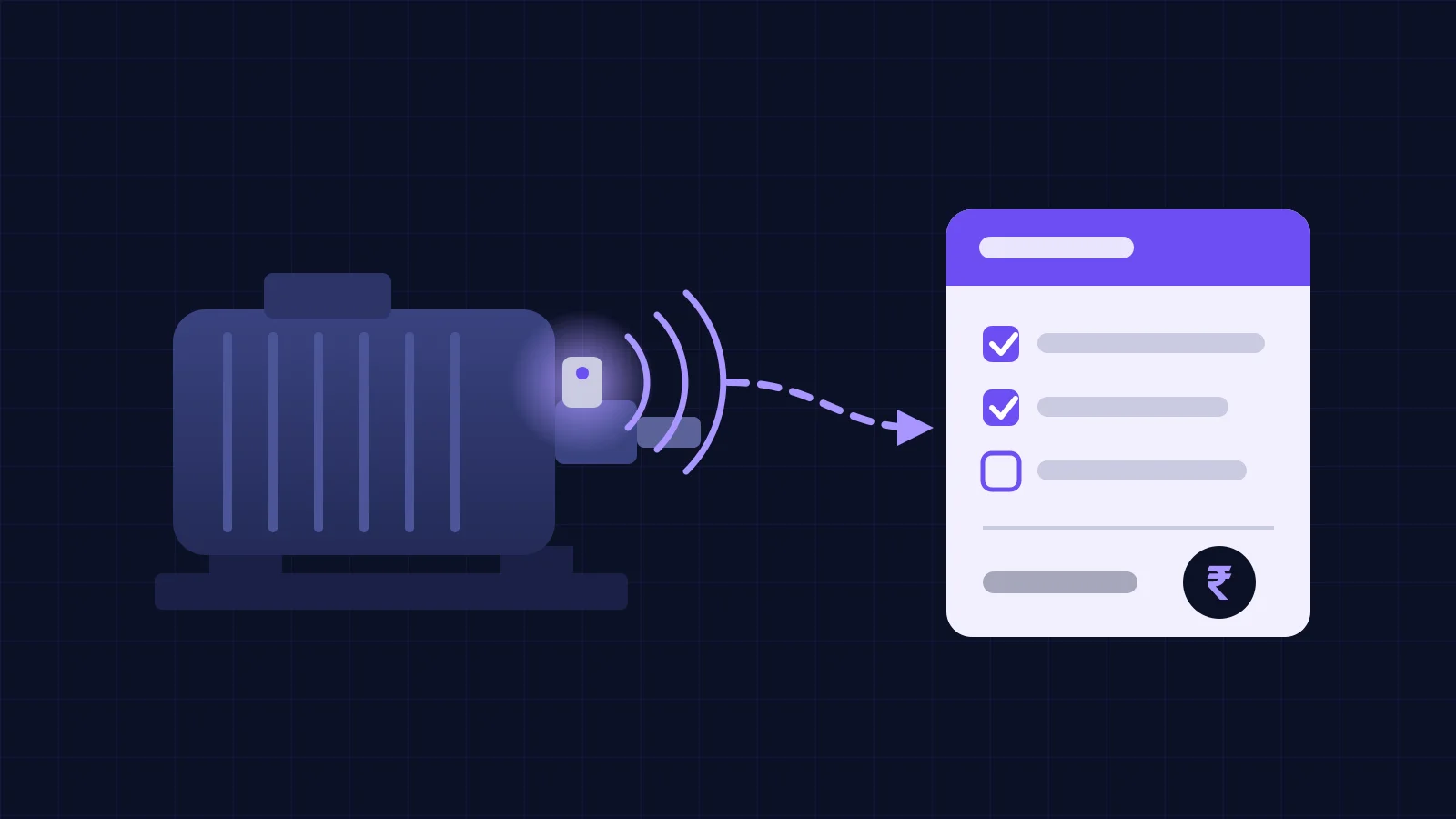
Condition monitoring ERP integration means one alert ID travels through eight hand-offs, from detection to the final cost booked against the machine. In between come de-duplication, a notification, triage, a work order, the repair and closure codes. Monitoring software alone covers only the first step. ISO 14224:2016 names the equipment, failure and maintenance data worth capturing at closure.
That gap is why a vibration system can be technically right and still change nothing. The sensor caught the bearing. The alarm went to a WhatsApp group. Someone changed the bearing during the next stop. The ERP shows a stores issue to "Mechanical maintenance, general", and nobody can say whether the alert was right, how much warning it gave, or what that fan cost this year. This post is about closing that loop. If you are still choosing sensors or scoping a first pilot, start with our predictive maintenance and industrial IoT guide instead.
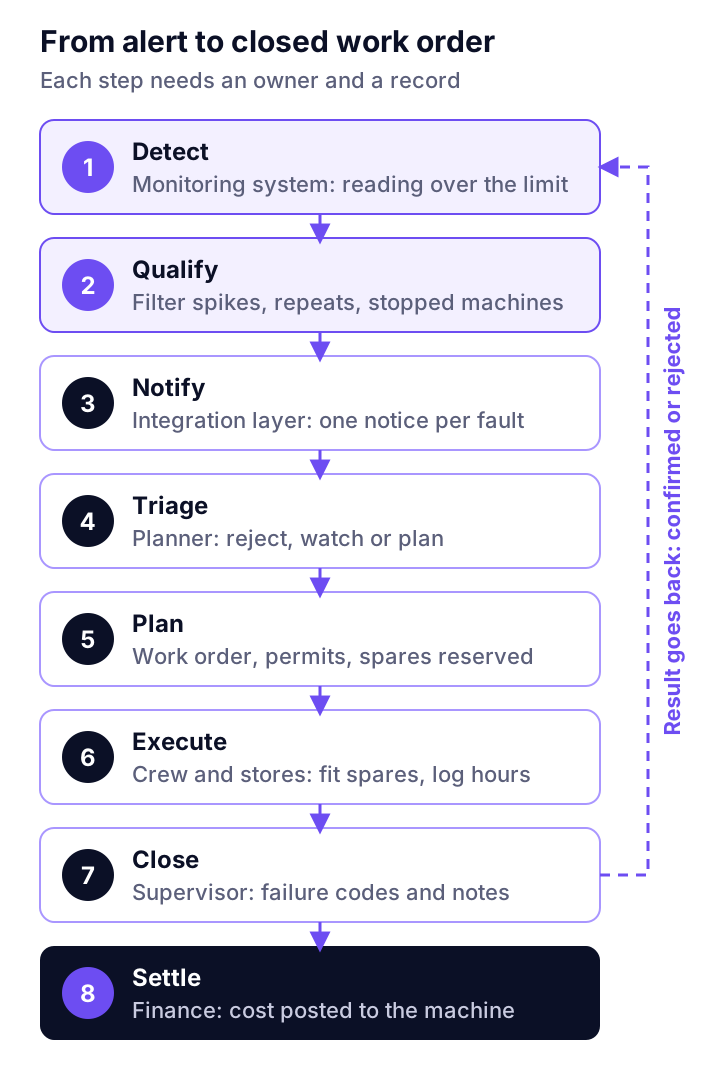
Which eight hand-offs sit between a vibration alert and a closed work order?
Detect, qualify, notify, triage, plan, execute, close and settle. Each needs a named owner and a defined record. Skip any of them and the chain breaks at that point, usually silently.
- Detect. The monitoring system compares a reading with an alert criterion. ISO 17359:2018 gives the general procedure for setting up a condition monitoring programme; the criteria themselves depend on the machine and the measurement. For vibration, the limits usually start from the zones in our ISO 10816 vibration thresholds explainer and are then tuned to the machine's own baseline.
- Qualify. Filter out noise: the condition must persist, the asset must be running, and the same fault must not already have an open record.
- Notify. Create a notification (or maintenance request) in the system that owns work orders, carrying the alert ID and evidence.
- Triage. A planner or reliability engineer decides: reject, watch, or plan.
- Plan. Build the work order: task, crafts and hours, permits and isolation, and spares reserved against it.
- Schedule and execute. Fit the job into a planned stop, issue the spares, record hours.
- Close. Record the as-found condition and failure codes, and link the order back to the alert ID.
- Settle. Actual cost (stores, labour, outside services) posts to the asset's cost centre, and the confirmed or rejected alert goes back to the monitoring side.
| Hand-off | Usual owner | Record it creates |
|---|---|---|
| Detect, qualify | Condition monitoring system | Alert with ID, asset, point, value, trend |
| Notify | Integration layer | Notification / maintenance request |
| Triage | Planner or reliability engineer | Decision with reason |
| Plan | Planner | Work order, spares reservation |
| Execute | Maintenance crew, stores | Goods issue, time confirmation |
| Close | Supervisor | Failure codes, as-found notes |
| Settle | Finance / ERP | Cost posted to asset and cost centre |
Why should an alert open a notification, not a work order?
Because a work order commits labour, spares and production time, and an alert is only evidence. Let software create the notification; let a person create the order.
SAP's own documentation draws the same line. Its maintenance notification is the object for describing the condition of a technical object or reporting a malfunction, while the order is where tasks are planned and costs are entered and settled. One order can carry several notifications, which is exactly what you want when three alerts on one gearbox turn out to be one job. Practitioners on a Society for Maintenance & Reliability Professionals forum thread describe the same pattern: threshold breaches raise an alert-type notification, and planners prioritise them by the equipment's ABC criticality.
Before anything reaches the planner, the qualify step needs four rules. They matter more than the model:
- One key per fault. Asset + measurement point + fault type. A new alert with an existing open key updates that notification instead of creating one.
- Persistence. The condition must hold for a set number of readings or minutes. A single spike during a start-up is not a job.
- State-aware suppression. No alerts while the asset is stopped, starting, or already under a work order.
- Severity mapped to priority. Decide in advance which alert levels map to which notification priority, and write it down. Otherwise every alert arrives as "high".
What data has to cross from the monitoring system to the ERP?
Less than most integration proposals suggest, but every field must map to something that already exists in the ERP's asset master. The hard part is rarely the API. It is a sensor tag called RM-IDF-NDE-H that matches no equipment code in the ERP.
ISA-95, also published as IEC 62264, is the standard that defines the interface between business systems and plant control functions, and it is a useful checklist for who owns which record. On the monitoring side, MIMOSA describes its OSA-CBM specification as an implementation of ISO 13374-1, the guideline for processing, communicating and presenting condition monitoring data. You do not need either to start, but borrowing their vocabulary saves arguments.
| Alert field | Maps to in the ERP / CMMS | Why it matters |
|---|---|---|
| Asset tag | Equipment number or functional location | Wrong mapping means the job and its cost land on the wrong machine |
| Measurement point (e.g. motor NDE, horizontal) | Measuring point or notification text | Tells the fitter where to look |
| Value, unit, trend | Notification long text or measurement record | Evidence for triage |
| Severity | Notification priority | Drives the planner's queue |
| Suspected fault (bearing, misalignment, looseness) | Damage or failure-mode code | Starts the failure history |
| Alert ID | Reference field on notification and order | The only way to measure alert accuracy later |
| Evidence link (spectrum, trend plot) | Attachment or URL | Lets the planner verify before committing a crew |
Where the work order lives depends on your ERP
In practice there are three set-ups, and the integration design follows from which one you have.
| Set-up | Where the work order lives | What the integration does |
|---|---|---|
| ERP with a maintenance module (for example SAP PM) | ERP | Alerts create ERP notifications directly; spares, costs and closure stay in one system |
| Separate CMMS plus ERP for stores and finance | CMMS | Alerts create CMMS requests; the CMMS sends reservations and issues to ERP stores and receives cost back |
| Finance-and-stores ERP, no maintenance module | A register, sheet or small CMMS | Start by making every stores issue and service bill carry the work order number and asset cost centre |
The third row is common in plants whose ERP grew out of an accounting package. If that's you, don't build an alert API into a system that has no work order to receive it. Get the work order number onto the stores issue slip first; that alone makes cost per asset visible.
A worked ₹ example: one ID fan bearing, from alert to settled cost
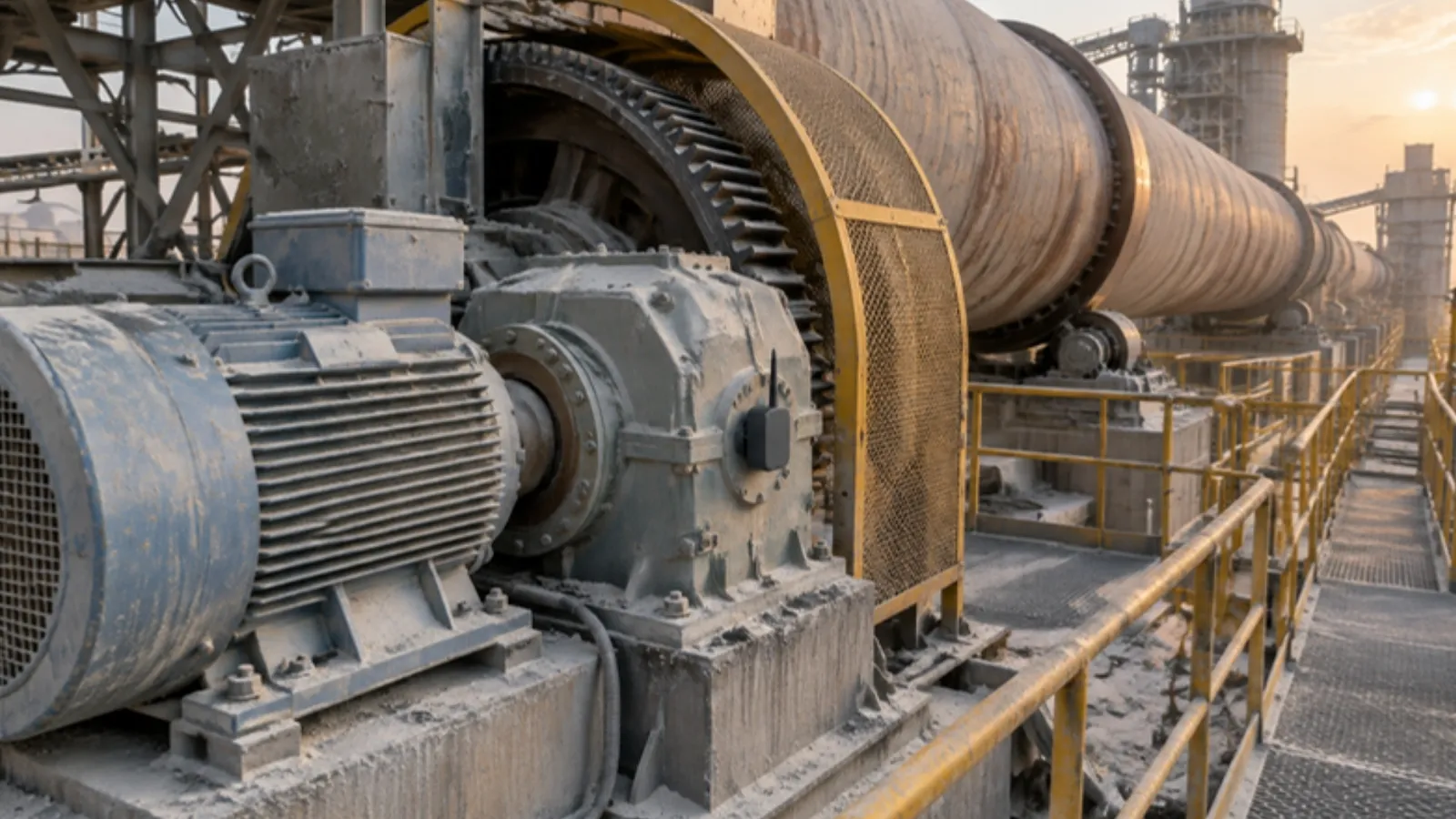
Here is what a complete record looks like for a single job on the raw-mill ID fan of a cement plant. The dates, codes and rupee figures are illustrative; replace them with your own stores rates and labour costs.
The alert. Velocity at the motor non-drive-end bearing climbs out of its normal band over 10 days, with a rising bearing-frequency component. The qualify step holds it until the trend persists across three days of running, then opens one notification, priority 2, with the trend plot attached.
Triage. The planner checks the production plan, sees a planned mill stop in nine days, and decides to plan the job for that stop rather than take the fan down now.
The cost record at closure:
| Line | Source document | Amount (₹) |
|---|---|---|
| Bearing set issued from stores | Goods issue against WO | 42,000 |
| Grease and consumables | Goods issue against WO | 1,500 |
| Labour: 3 people × 6 h at an internal rate of ₹600/h | Time confirmation | 10,800 |
| Crane hire | Service entry against WO | 8,000 |
| Total posted to the ID fan's cost centre | 62,300 |
Closure codes: failure mode "bearing outer race defect", cause "lubrication", action "replace", as-found "spalling visible on outer race", alert confirmed: yes, warning given: 19 days.
Two things make this record useful later. The alert ID ties ₹62,300 of planned spend to one detection, which is how you build a defensible predictive maintenance ROI from your own data rather than vendor percentages. And the codes let you see, after a year, whether "lubrication" keeps coming back on that fan.
One finance point to settle before go-live. Under Ind AS 16, spare parts and stand-by equipment count as property, plant and equipment when they meet that definition. Otherwise they are inventory. Day-to-day servicing costs, such as labour and consumables, are expensed (ICAI Board of Studies material on Ind AS 16). If your spare motor or gearbox is capitalised, issuing it against a work order is not a simple stores-to-expense posting. Agree the treatment with your auditor and flag those items in the item master, so the integration posts them correctly from day one.
What should flow back when the order closes
Closure is where most integrations stop, and it is the part that makes the monitoring better. Send back to the monitoring side, for every closed order with an alert ID:
- confirmed, rejected, or "no fault found";
- as-found condition and failure mode;
- date of the actual repair, so the next baseline starts clean.
ISO 14224 was written for petroleum, petrochemical and natural gas facilities, but its split into equipment, failure and maintenance data is a sound template for any plant's closure codes. Keep the code list short enough that a supervisor fills it in at the end of a night shift.
From those you can track four numbers each month: alerts raised, share confirmed on inspection, median warning time, and cost per critical asset. None of them needs new software, only the alert ID on every record.
Where this goes wrong
- Automating before ranking criticality. If every machine can raise a notification, planners drown. Integrate your critical assets first; that is the same advice we give in why predictive maintenance pilots fail. On a cement line, rank machines by the kiln hours their failure would cost.
- Alert floods during start-ups and trips. Without state-aware suppression, one mill trip can raise dozens of alerts across connected fans and pumps.
- Asset master drift. Equipment gets replaced or renumbered in the ERP and nobody updates the tag map. Review the mapping whenever an asset is replaced, not once a year.
- Free-text closure. "Done" in the remarks field produces no failure history. Make codes mandatory for orders that started from an alert.
- Network gaps. If the plant's link drops and alerts are lost, the planner sees nothing. The edge layer must buffer and forward in order once the link returns.
- When not to integrate. If you monitor a handful of assets with monthly route-based readings, a weekly review meeting and a manual notification may be all you need. The plumbing pays off when alerts are continuous and the asset count is in the dozens.
Where Vexron and ZapNexa fit
Vexron covers the first half of the chain. Its edge layer computes ISO 10816 vibration metrics and buffers more than 100,000 telemetry records when the network drops. Its O-Graph automation canvas connects sensor triggers and ML anomalies to SAP S/4HANA, MES systems, MQTT, and Twilio SMS or WhatsApp alerts. The VMI-1 model ranks each alert by severity and trend and points to the frequency band and signal that triggered it, which gives the planner evidence to triage with. ZapNexa handles the stores and finance end, with batch and serial-controlled inventory, configurable approval workflows and GST-ready invoicing. If your plant has no system that holds work orders yet, the Assetz asset management system includes corrective work orders, technician assignment and job closure tracking.
Frequently asked questions
Should a condition-monitoring alert create a work order automatically?
Usually not. Let the alert open a notification or maintenance request automatically, and let a planner turn it into a work order. A planned order commits labour, spares and a shutdown slot; an alert is evidence that something may need doing. Auto-creating orders from raw alerts fills the backlog with jobs nobody has validated, and planners learn to ignore them.
Can SAP PM receive condition monitoring alerts?
Yes. In SAP, the maintenance notification is the object meant to describe the condition of a technical object or report a malfunction, and a maintenance order can be created from one or several notifications. The usual route is an interface or middleware layer that creates notifications, from which planners build orders. Check which interface your SAP release and partner support before you design the flow.
Our ERP has no maintenance module. Do we need a separate CMMS?
You need somewhere that holds the work order with its asset, failure codes and closure notes. That can be a CMMS, the maintenance module of an asset system, or a disciplined register to start with. The ERP still matters: stores issues and service bills should carry the work order number and the asset's cost centre, so finance can see cost per asset.
How do we stop one fault from creating ten work orders?
Give every alert a stable key made of asset, measurement point and fault type. If an open notification already exists for that key, append the new reading to it instead of creating another. Add a persistence rule (the condition must hold for a set time or number of readings) and suppress alerts while the asset is stopped or under maintenance.
What should come back from the ERP when a work order closes?
At minimum: the as-found condition, a failure mode, cause and action code, the date of the actual repair, and the alert ID that started the job. With those fields you can measure how many alerts were confirmed on inspection, how much warning each one gave, and what each asset costs to keep running.
Put a rupee figure on the gap
Before you scope the integration, estimate what one unplanned stop on your most critical asset costs per hour.
Downtime cost calculatorExplore Vexron