

In the CMMS vs ERP choice, start with who closes the job. A CMMS is built for technicians who open and close work orders on the floor. An ERP maintenance module is built for planners, stores and finance. If your ERP has no maintenance module, use a small CMMS. If it has one, choose by who will use it daily.
Most pages that rank for this question are written by CMMS sellers, and they all reach the same verdict. This guide is for a plant head or maintenance manager in India who wants a neutral answer. It covers what each tool does well, a decision table by plant type, an illustrative ₹ licence cost for a 15-person team, and the fields every work order needs whichever tool you choose. If you are still building the case for condition-based work, start with our guide to predictive maintenance with industrial IoT.
What is the difference between a CMMS and an ERP maintenance module?
Both hold an asset list and work orders. The difference is who they were built for. A CMMS (computerised maintenance management system) is built around the technician and the job. An ERP maintenance module is built around the money: spares, purchase orders and cost per machine.
SAP PM, Oracle EAM and Microsoft Dynamics 365 Asset Management are maintenance modules inside large ERPs. Smaller ERPs have them too. Odoo, for example, lists Maintenance among the apps in its paid plans. Standalone CMMS tools include MaintainX, Fiix, UpKeep and many Indian products.
| Question | CMMS | ERP maintenance module |
|---|---|---|
| Who uses it most | Technicians and supervisors | Planners, stores, finance |
| Closing a job on a phone | Usually the main screen | Often a desktop screen, sometimes a separate app |
| Preventive schedules | By date, hours or meter reading | By date and counter; varies by ERP |
| Condition triggers (an alert opens a job) | Common, through an API | Possible, often needs custom work |
| Spares stock and reorder | Basic stock, or reads it from the ERP | Full stores, with purchase and GST |
| Cost posted to machine and cost centre | Sends cost to the ERP | Native |
| Who must have a login | Anyone who closes jobs; some tools give free requester logins | Every user, usually at the ERP per-user rate |
| Set-up effort | Asset list, schedules, users | Same, plus ERP configuration and partner time |
The table says "usually" for a reason. A well-set-up ERP module on phones beats a CMMS nobody opens. Judge the actual screens, not the category.
Which one fits your plant? A decision table for Indian plants
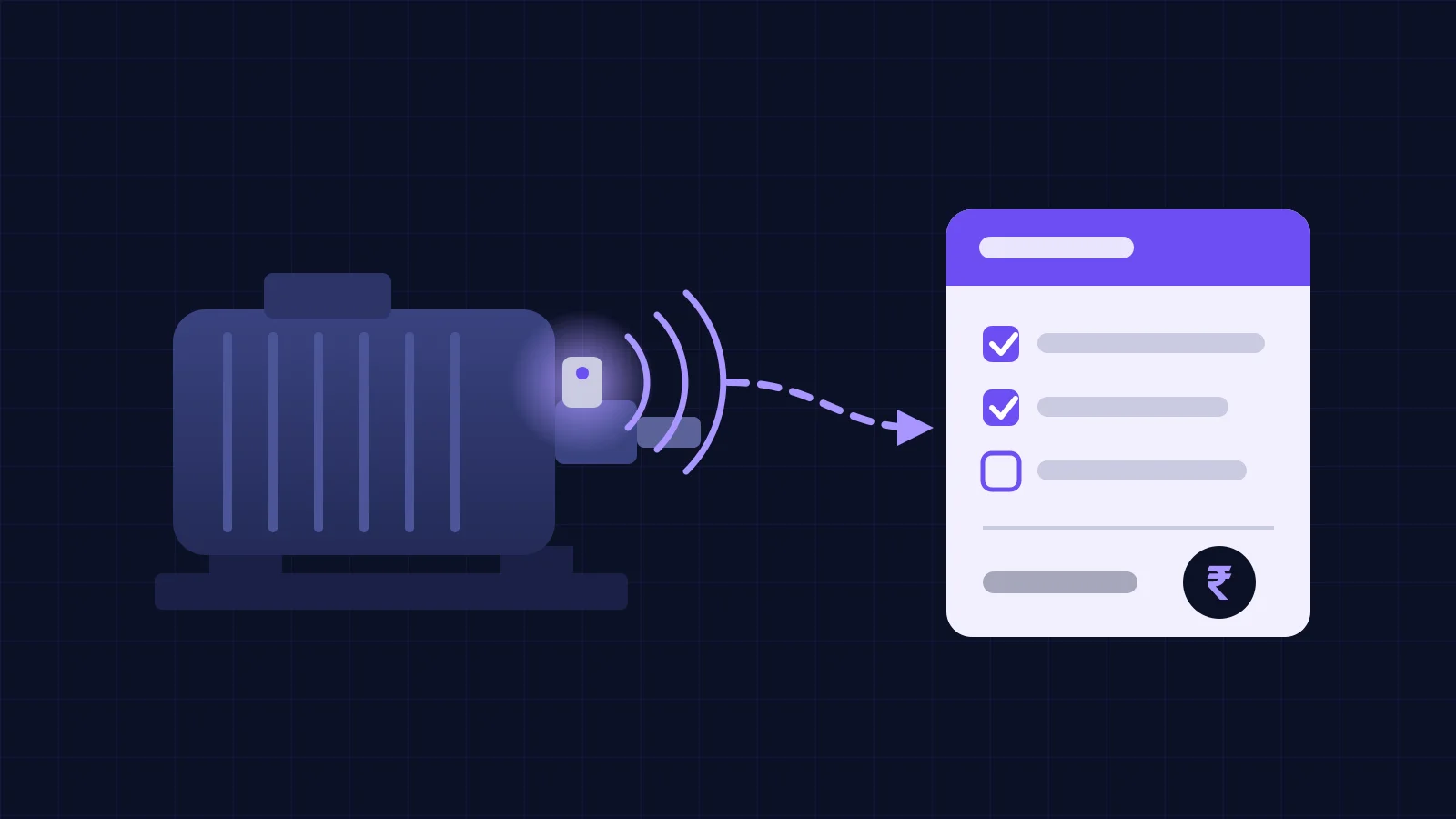
Two questions settle most cases. Does your ERP have a maintenance module? If it does, will technicians open and close jobs in it, on a phone, on the floor? The diagram below shows the path, and the table after it covers the common Indian plant set-ups.
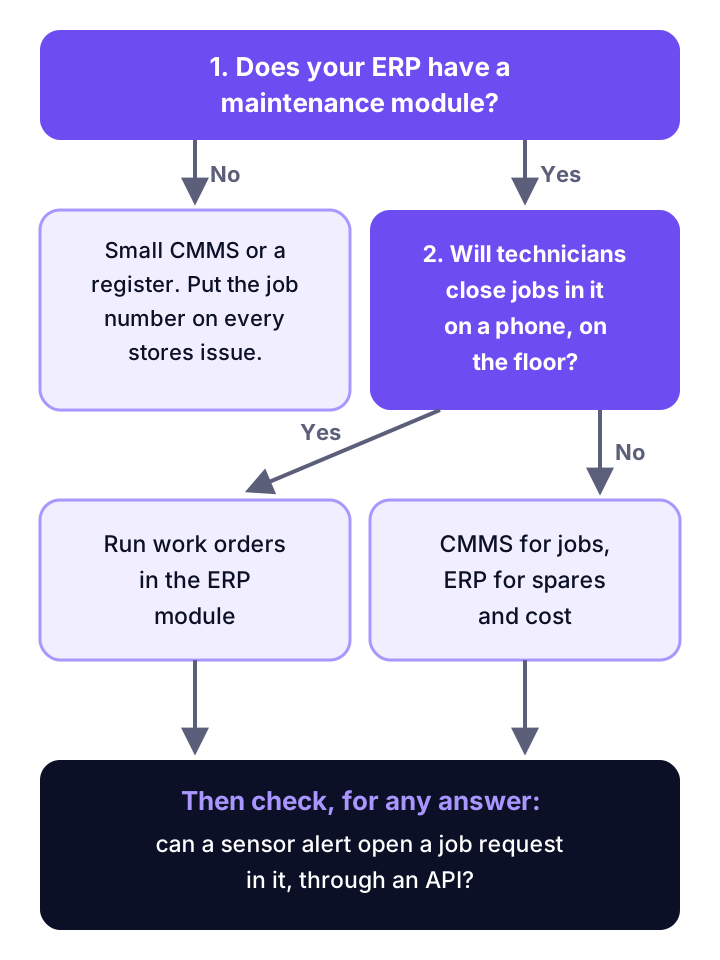
| Your plant today | Where work orders should live | Why |
|---|---|---|
| Accounts and stores in Tally or a similar package, no maintenance module | A small CMMS, or a register to start | There is nothing in the ERP to receive a job. Put the job number on every stores issue slip so cost per machine can be added up later |
| ERP with a maintenance module, planners already use it daily, technicians have phones and logins | The ERP module | One system for the job, the spares and the cost. No sync to break |
| ERP with a maintenance module, but technicians avoid its screens | A CMMS for jobs, linked to the ERP | A job nobody closes in the system gives you no history. Usage matters more than licence savings |
| Several plants with central stores and purchase | Either, with one asset code list for all plants | Spares and cost stay in the ERP in every case. Our post on running an ERP across several plants covers the shared masters |
| One shift, fewer than five technicians | A register and a spreadsheet first | Add software when the register stops being read, not before |
| Condition monitoring planned in the next year | Whichever system can accept an alert as a job request through an API | Otherwise alerts end up in WhatsApp and are lost |
If your plant is in the first row and is weighing a full ERP move, our Tally vs ERP comparison covers that larger decision. A maintenance tool should not wait for it.
What does each option cost? An illustrative ₹ example
For a 15-person maintenance team, a CMMS licence works out cheaper than adding the same people to a per-user ERP. The gap is a few lakh a year. The figures below are illustrative. They use public list prices from October 2026 and an assumed rate of ₹90 to the US dollar; check the day's rate and ask for a written quote.
The example plant has one planner who already has an ERP login, 2 shift supervisors and 12 technicians. The stores clerk stays in the ERP in both options.
Option A: maintenance app in the ERP. Odoo's pricing page shows its Standard plan, with all apps, at US$31.10 to US$38.90 per user per month. The 14 supervisors and technicians each need a new user.
Option B: a standalone CMMS. MaintainX's pricing page shows Essential at $20 per user per month billed yearly and Premium at $65. All 15 people need a user. MaintainX says requester logins, for people who only report faults, are free.
| Option | Users and list price | Per year |
|---|---|---|
| A: ERP app (Odoo Standard) | 14 users at $31.10 to $38.90 a month | $5,225 to $6,535, about ₹4.7 lakh to ₹5.9 lakh |
| B: CMMS (MaintainX Essential) | 15 users at $20 a month | $3,600, about ₹3.2 lakh |
| B: CMMS (MaintainX Premium) | 15 users at $65 a month | $11,700, about ₹10.5 lakh |
| C: register plus job numbers | No licences | Nil, plus one clerk's time |
Three things this table does not show. Option B needs a link to the ERP for spares and cost; ask what that costs before you sign. Option A on a large ERP such as SAP needs an implementation partner; ask for their days and day rate in writing. Option C costs nothing but stops working once nobody reads the register.
Now set the licence against one stop. If a single breakdown on a critical machine costs more than the yearly gap between options, the cheaper licence is not the deciding factor. The tool your team will use is. Our downtime cost calculation guide shows how to put a rupee figure on that stop.
What must every work order record, whichever tool you pick?
Seven fields decide whether your maintenance history is worth anything. The tool matters less than these. Check that the system you choose makes each one easy to fill and hard to skip.
- Asset code that matches the ERP asset or equipment master exactly. Two lists means cost lands on no machine.
- What raised the job: breakdown, preventive schedule, operator report or a condition alert.
- Downtime start and end, if the machine stopped. Machine signals beat memory; see our machine downtime tracking software guide.
- Failure mode, cause and action as short coded lists, with free text as extra. Keep each list under about ten choices.
- Spares issued against the job number, entered once, in the stores system.
- Labour hours by person or trade.
- Closure note and who checked it, so the next technician knows what was done.
These same fields are what any AI or analytics tool needs later. Our post on AI for maintenance planning explains why coded closures matter more than the model.
Where do condition monitoring alerts fit?
An alert should open a job request, not a work order. A person then decides whether it becomes a job. So whichever system you choose must accept a request from outside through an API, with the asset code, the reading and the suspected fault attached.
Our guide to condition monitoring ERP integration walks through the eight hand-offs between an alert and a closed, costed job. It also covers what to do when the ERP has no maintenance module.
Where Vexron and ZapNexa fit
Vexron is not a CMMS or an ERP. It watches machines and feeds whichever system holds your jobs. Its alert and workflow builder turns a sensor trigger into an SMS, a WhatsApp message, an MQTT event, or an entry in SAP S/4HANA or your MES. ZapNexa, our manufacturing ERP, holds stores, purchase and finance. It has no maintenance work order module today, so pair it with a CMMS or a register for the jobs.
Where this goes wrong
Most failed maintenance software projects fail on people and data, not on the CMMS vs ERP choice.
- Buying from the demo. Test the job screen on a cheap phone, in the plant, with gloves on and weak network. Ask what happens offline.
- Two asset lists. The CMMS calls it
ID-FAN-2, the ERP calls itEQ-10432. Agree one code list before go-live. - Spares entered twice. If stores issues are typed into both systems, they will disagree within a month. One system owns stock.
- "It is already paid for." The ERP module may be in the licence, but technician users often are not. Count users before you count modules.
- Trusting vendor timelines. Claims such as "weeks for a CMMS, months for an ERP" come from vendors. Ask for a reference plant of your size and call its planner.
- Free-text closures. "Done" teaches nobody anything. Make the coded fields required.
Pick the system your technicians will open on the floor tomorrow. Then fix the asset codes, and link the job number to every rupee spent.
Frequently asked questions
Do I need a CMMS if I already have an ERP?
Not always. If your ERP has a maintenance module and your technicians will open and close jobs in it on a phone, one system is simpler. If the ERP has no maintenance module, or technicians avoid its screens, add a CMMS for the jobs and keep spares, purchase and cost in the ERP. Link the two with one asset code list.
What is the difference between a CMMS and an EAM?
A CMMS manages maintenance work: assets, work orders, preventive schedules and spares used on each job. An EAM (enterprise asset management) system covers the whole life of an asset, from purchase and capex through maintenance to depreciation and disposal. Many ERP maintenance modules sit closer to EAM. If you only need to run and record maintenance jobs, CMMS features are enough.
How much does a CMMS cost?
Prices are per user per month. MaintainX, for example, lists a free Basic plan, Essential at $20 per user per month billed yearly, and Premium at $65 (its pricing page, October 2026). For 15 users on Essential that is about ₹3.2 lakh a year at an assumed ₹90 to the dollar. Add the cost of linking it to your ERP.
Our accounts and stores run on Tally. What should we use for maintenance?
Keep Tally for accounts and stores, and run maintenance jobs in a small CMMS or a disciplined register. The link that matters is the job number: write it on every stores issue slip and every service bill. Then cost per machine can be added up later, whichever tool you move to.
Can a CMMS work with SAP or another large ERP?
Usually yes, through an API or a connector the vendor sells. The hard part is not the connection. It is agreeing which system owns the asset list, which owns spares stock, and which number ties a job to its cost. Ask the vendor for a reference plant running the same ERP and talk to its planner.
Price your breakdowns before you price software
Enter output, margin and stop hours to see what unplanned downtime costs your plant in a year. Then compare it with a few lakh of licence fees.